Last Updated on December 16, 2025 by The NP Team
By a Hardware Analyst
The release of the NVIDIA RTX 5090 last month has officially reignited the holy war of the AI hardware community.
For the last two years, the battle lines were drawn in silicon.
On one side, you had Team Green (NVIDIA): The speed demons. The CUDA loyalists. The people who heat their homes with 600-watt GPUs.
On the other side, you had Team Apple (Mac Silicon): The memory hoarders. The people who run massive models in silence on a silver brick.
Now that the 5090 is out, with its blazing GDDR7 memory and 32GB of VRAM, the question is harder than ever:
If you want to run AI locally, do you buy the Ferrari (NVIDIA) or the Cargo Plane (Apple)?
I have spent the last week testing a fully spec’d Mac Studio M4 Ultra against a dual RTX 5090 rig. Here is the unvarnished truth about which one you actually need.
1. The VRAM Wall: Why 32GB is (Still) Not Enough
Let’s start with the elephant in the room. The RTX 5090 is a beast. It has 32GB of VRAM (finally upgrading from the 4090’s 24GB).1
But for Local LLMs, 32GB is an awkward number.
Here is the math of model sizes in late 2025:
- Llama 4 (8B): Fits easily. (Requires ~6GB).
- Llama 4 (70B) @ Q4 Quantization: Fits perfectly. (Requires ~35-40GB). Wait. It doesn’t fit.
To run a 70B parameter model—the current standard for “smart” reasoning—at a decent quality (4-bit quantization), you need about 40GB of VRAM.
The RTX 5090 has 32GB.2
This means you are “Offloading” layers to your system RAM. The moment you overflow that 32GB buffer, your speed drops from 100 tokens/second to 3 tokens/second. It’s like hitting a brick wall.
The Apple Advantage:
The Mac Studio M4 Ultra comes with 192GB of Unified Memory.
It doesn’t care about “VRAM.” It gives the GPU access to the entire memory pool.
On a Mac Studio, I can load Llama 4 (120B), or even the massive DeepSeek-R1 (236B), and still have room to browse the web.
Winner: If you want to run Big Models (70B+), Apple wins by a landslide.3 You simply cannot fit the world’s smartest models on a single consumer NVIDIA card.
2. The Speed Demon: Why NVIDIA is still King of Inference
However, if the model does fit, NVIDIA destroys Apple.
The RTX 5090 features the new Blackwell architecture and GDDR7 memory with bandwidth pushing 1.8 TB/s.4
The Mac Studio M4 Ultra has a bandwidth of roughly 800 GB/s.
The Benchmark (Llama 4 8B):
- RTX 5090: 240 tokens/second. (It reads faster than you can blink).
- Mac Studio: 65 tokens/second. (Fast enough to read, but not instant).
The Benchmark (Training/Fine-Tuning):
This is where the Mac falls apart. Apple’s MLX framework is getting better, but it is still a toy compared to CUDA.
If you want to fine-tune a model on your own data (LoRA), the RTX 5090 will finish the job in 20 minutes. The Mac Studio will take 4 hours.
Winner: If you care about Latency or Training, NVIDIA is the only serious choice. Apple is for inference (running); NVIDIA is for work.
3. The Software Ecosystem: MLX vs. CUDA
In 2023, buying a Mac for AI was a gamble. You had to pray that llama.cpp supported your model.
In 2025, the gap has closed.
Apple’s MLX framework (built by their internal research team) allows native execution of almost any Hugging Face model.5 The ecosystem is vibrant. Apps like LM Studio and Ollama treat Macs as first-class citizens.
However, NVIDIA still owns the bleeding edge.
When a new model architecture drops (like Mamba or RWKV-6), it works on NVIDIA Day 1. It works on Mac Month 2.
If you use esoteric libraries, agentic frameworks (AutoGPT), or complex RAG pipelines with vector re-ranking, they are all optimized for CUDA.
The “Wife Acceptance Factor” (WAF):
I have to mention this.
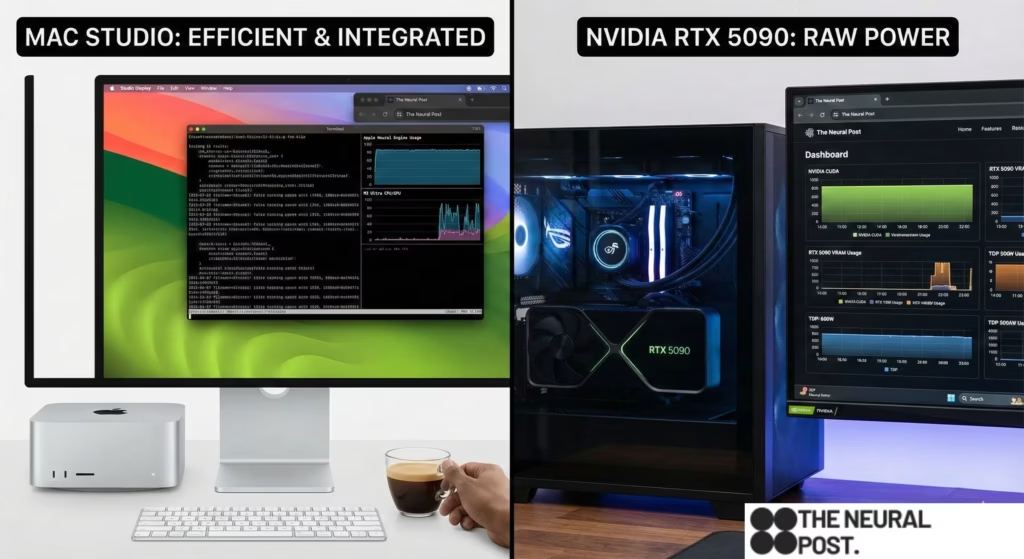
The Mac Studio is silent. It draws 100 watts. You can put it in your living room.
The Dual RTX 5090 rig draws 1,100 watts. It requires a case the size of a mini-fridge. It sounds like a jet engine. It heats the room to 85°F in an hour.
NVIDIA hardware is industrial equipment disguised as a toy. Apple hardware is a home appliance.
4. The Verdict: The “Memory Rich” vs. The “GPU Poor”
So, which one do you buy?
Buy the Mac Studio (Unified Memory) if:
- You are a Researcher/Explorer: You want to test the absolute biggest models (120B, 405B MoE). You care about capacity, not speed. You want to run a “Sovereign AI” that knows everything, even if it types slowly.
- You value Silence: You work in a home office and don’t want fan noise.
Buy the NVIDIA RTX 5090 if:
- You are a Builder: You are building apps. You need high throughput (tokens/sec) to test your prompts quickly.
- You are a Fine-Tuner: You want to train models on your own data.
- You are a Gamer: Let’s be honest, you can’t play Cyberpunk 2077 on the Mac.
The “Frankenstein” Option:
For the price of one top-tier Mac Studio ($5,000), you can build a PC with Two Used RTX 3090s (48GB VRAM total) and still have money left over.
This is the “GPU Poor” meta. It’s ugly, it’s loud, and it uses old tech. But 48GB of VRAM allows you to run Llama 3 70B at reasonable speeds.
My Personal Setup?
I have a Mac Studio on my desk for “Reading” (Inference of big models).
I have a headless NVIDIA server in the closet for “Writing” (Training and Agents).
We are entering a bifurcated world. Apple owns the Memory, but NVIDIA owns the Clock Cycle. Choose your weapon based on your enemy.
Next Step: Would you like a tutorial on “Clustering Macs”? (Using exo to combine two MacBook Pros into a single AI cluster to double your memory).
