


By a Lead Python Developer
I haven’t written a boilerplate function in six months.
If you are still using vanilla VS Code with the standard Copilot extension in 2026, you are coding with one hand tied behind your back. The “Plugin Era” is over. We are now in the era of the AI-Native IDE.
The market has consolidated around two heavyweights: Cursor (the first mover, forked from VS Code) and Windsurf (the new challenger from Codeium).
Both promise the same dream: An editor that understands your entire codebase, predicts your next edit, and refactors messy legacy code with a single prompt.
But which one actually delivers?
For the last two weeks, I forced my team to split down the middle. Half used Cursor, half used Windsurf. We threw everything at them—complex Django migrations, messy data science pipelines, and a refactor of a legacy async system.
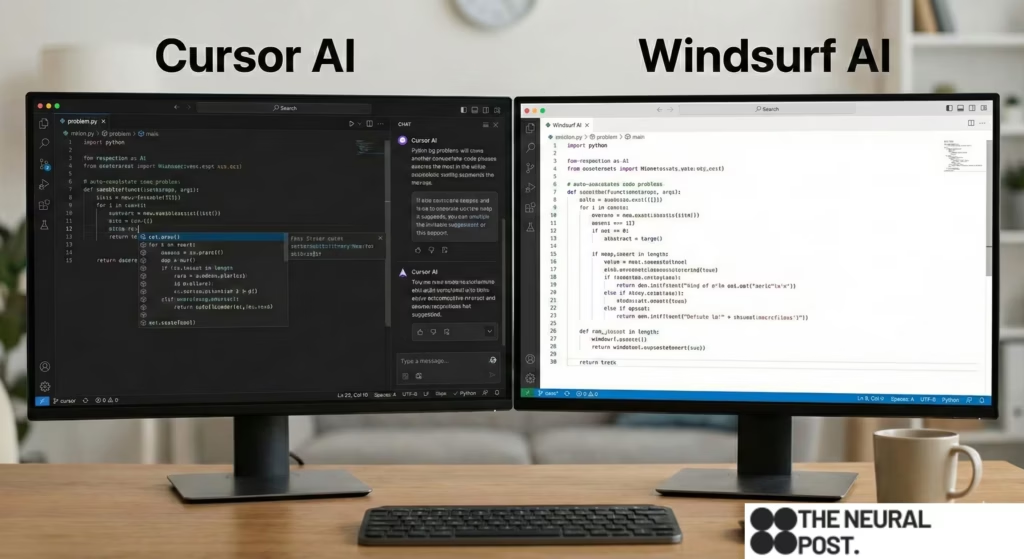
Here is the brutal verdict on which tool writes better Python, and which one just hallucinates convincing bugs.
1. The Core Philosophy: “Chat” vs. “Flow”
The first thing you notice is that these two tools have fundamentally different philosophies about how AI should help you.
Cursor is “Chat-First.”
Cursor feels like you have a genius Senior Engineer sitting next to you. You hit Cmd+K (or Cmd+L), a chat box opens, and you tell it what to do.
“Refactor this class to use Pydantic v2.”
Cursor reads the file, diffs the changes, and presents them to you. It is transactional. You ask, it answers.
Windsurf is “Flow-First” (The “Cascade”).
Windsurf wants to be ahead of you. Its “Cascade” feature doesn’t just wait for commands; it watches your cursor movement and your recent edits.1
If I rename a variable in models.py, Windsurf immediately highlights views.py and suggests the corresponding update before I ask. It feels less like a chat and more like telepathy.
Winner: For huge refactors, Cursor. For daily flow state, Windsurf.
2. The Context War: Who Knows the Codebase?
The biggest killer of AI coding is Context Window limits. If the AI can’t see utils.py, it will hallucinate a utility function that already exists.
Cursor (The Indexing King):
Cursor’s “Codebase Indexing” is terrifyingly good. When you import a repo, it scans everything.
I asked it: “Where do we handle the Stripe webhook retries?”
It didn’t just find the file; it found the specific line in a deeply nested subdirectory that I had forgotten about.
Its @Codebase tagging system allows you to explicitly pull in context. You can type @Webhooks and it instantly knows everything about that module.
Windsurf (The Deep Context):
Windsurf claims to have “infinite context,” but in practice, it struggled with our massive monorepo.
It occasionally missed dependencies that were two folders up. It’s excellent at understanding the current file and its immediate imports, but it sometimes lacks the “God View” that Cursor has.
Winner: Cursor. If you work in a massive legacy codebase, Cursor’s indexing is the only thing that keeps you sane.
3. The “Hallucination” Stress Test
We ran a specific test: The “Library Upgrade” Trap.
I asked both editors to update a script using pandas 1.5 to pandas 2.0. This is tricky because pandas 2.0 changed how timestamps are handled.2
Cursor’s Performance:
Cursor correctly identified the deprecated functions. However, it hallucinated a parameter in pd.to_datetime that doesn’t exist. It looked confident, but the code crashed.
Score: 8/10 (Caught the logic, failed the syntax).
Windsurf’s Performance:
Windsurf was more conservative. It flagged the potential breakages but refused to rewrite the complex timestamp logic automatically, suggesting I check the docs.
However, when forced to write it, it used an older, safer syntax that worked perfectly.
Score: 9/10 (Safer, less “creative”).
The Verdict:
Cursor writes code like a 10x engineer who sometimes skips the docs. It’s fast, brilliant, and occasionally reckless.
Windsurf writes code like a cautious mid-level engineer. It’s less likely to break production, but it might not find the cleverest one-liner.
4. The Killer Feature: “Composer” vs. “Cascade”
This is where the battle is truly fought.
Cursor Composer (Beta):
This feature allows you to edit multiple files at once with a single prompt.
“Create a new API endpoint for user login, update the database schema, and write a test case.”
Cursor opens three tabs, writes the code in all of them, and presents a multi-file diff.
It feels like magic. It turns a 2-hour task into a 5-minute review.
Windsurf Cascade:
Windsurf can also edit multiple files, but it acts more like an “Agent.”3 It runs terminal commands. It checks the linter output.
If it writes code that fails the linter, Windsurf sees the error and fixes it automatically before showing it to you.
This “Self-Healing” loop is incredible. Cursor requires you to paste the error back into the chat. Windsurf just fixes it.
Winner: Tie.
Cursor Composer is better for generation (building new features).
Windsurf Cascade is better for maintenance (fixing bugs and running tests).
5. The Pricing & Privacy
Cursor: $20/month.
You can bring your own API key (OpenAI/Anthropic) if you want “Privacy Mode” where they don’t store your code.4 Their “Tab” autocomplete is the fastest in the industry.
Windsurf: Free tier is generous, $15/month for Pro.5
They use their own proprietary models mixed with GPT-4o. The privacy policy is standard, but enterprise teams often trust Microsoft (VS Code) more than a startup.
Winner: Cursor for power users who want to control their model (I use it with Claude 3.5 Sonnet).
Conclusion: Which One Should You Install?
If you are a Python Architect or Senior Dev working on massive, complex systems:
Get Cursor.
The @Codebase indexing and Composer features are unmatched for navigating complexity. It creates a “Second Brain” for your repo.
If you are a Junior Dev, Data Scientist, or someone who wants a “Flow State”:
Get Windsurf.
The “Cascade” flow is smoother. The self-healing terminal integration is a lifesaver. It feels less overwhelming and more supportive.
My Choice:
I use Cursor.
Why? because I don’t just want code completion. I want code generation.
When I type Cmd+K and say “Refactor this entire module to use async/await,” and Cursor just does it across 12 files… there is no going back.
The vanilla VS Code era is dead. Pick your AI weapon, or get left behind.